On-brand posts, made without a designer.
An internal tool that turns a few details into a finished social post.
- Role
- Designer and builder
- Company
- MarketsMojo
- Platform
- Web, one file
- Status
- In use
Not one post. Every post after it.
Every daily post, for every brand and platform, went through one designer. And by week three the posts had drifted: sizes, logos and the legal line all moved.
Writers, in a regulated business.
The people making posts are writers, not designers. And the company is SEBI registered, so some things can never appear.
Only totals, like how many stocks. Flagged as you type.
No calls, no targets. The template has no place for them.
Every post carries it. Nobody has to remember.
What I chose, and why.
Build the useful part first.
Everyone asked for a portal with logins and a calendar. None of that makes a post. The template does, so the team could use it on day one.
Treat the brand as data.
Colour, font, logo, button text and hashtags. Five values per brand. One input now makes the post for all five brands.
Never start from a blank page.
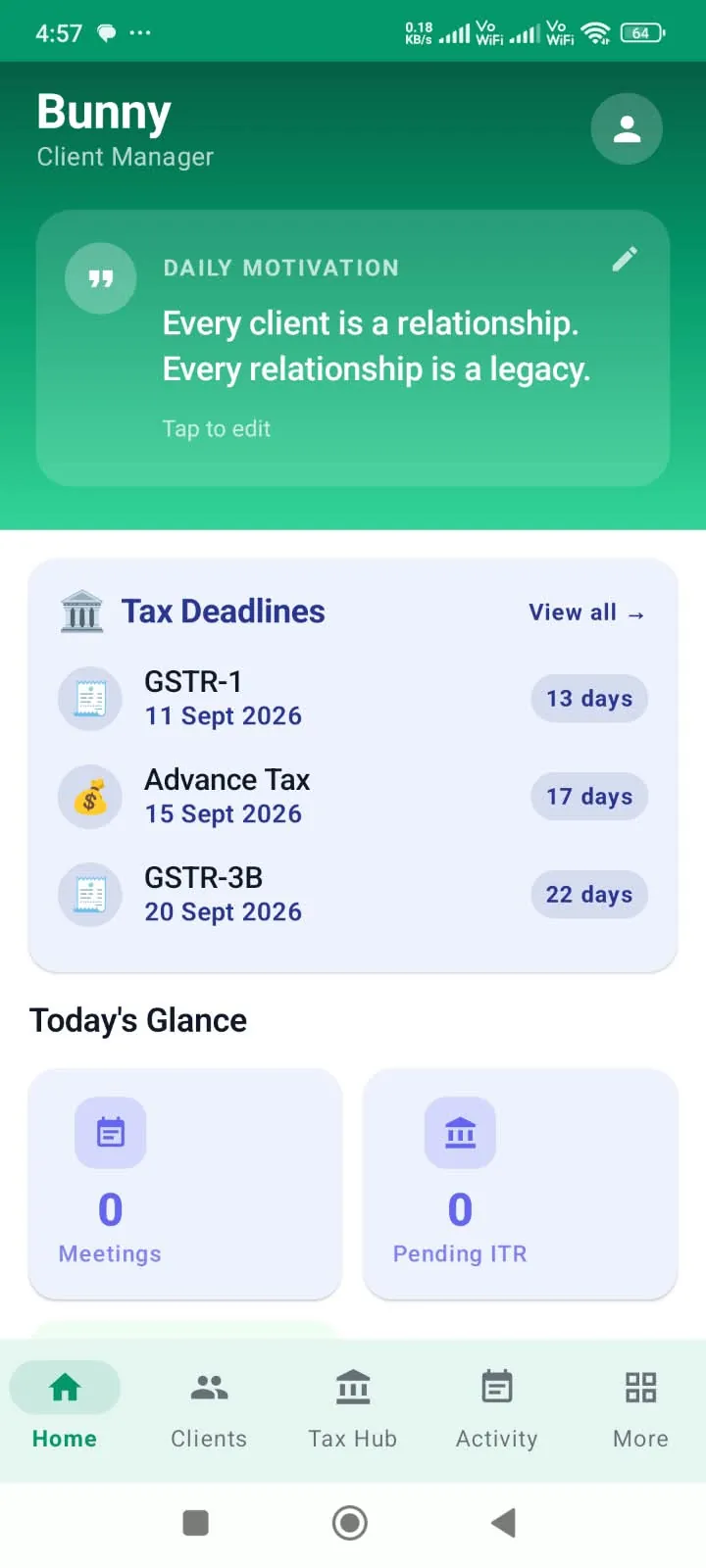
The tool opens on finished layouts in four groups: market, product, brand and festival.
Make the post the biggest thing on screen.
It's what gets judged. Inputs sit on the left, ready text on the right.
Each step removes one manual task. The template never changes.
Pick. Type. Take.
Sixteen versions. Almost every change came from watching the team use it.
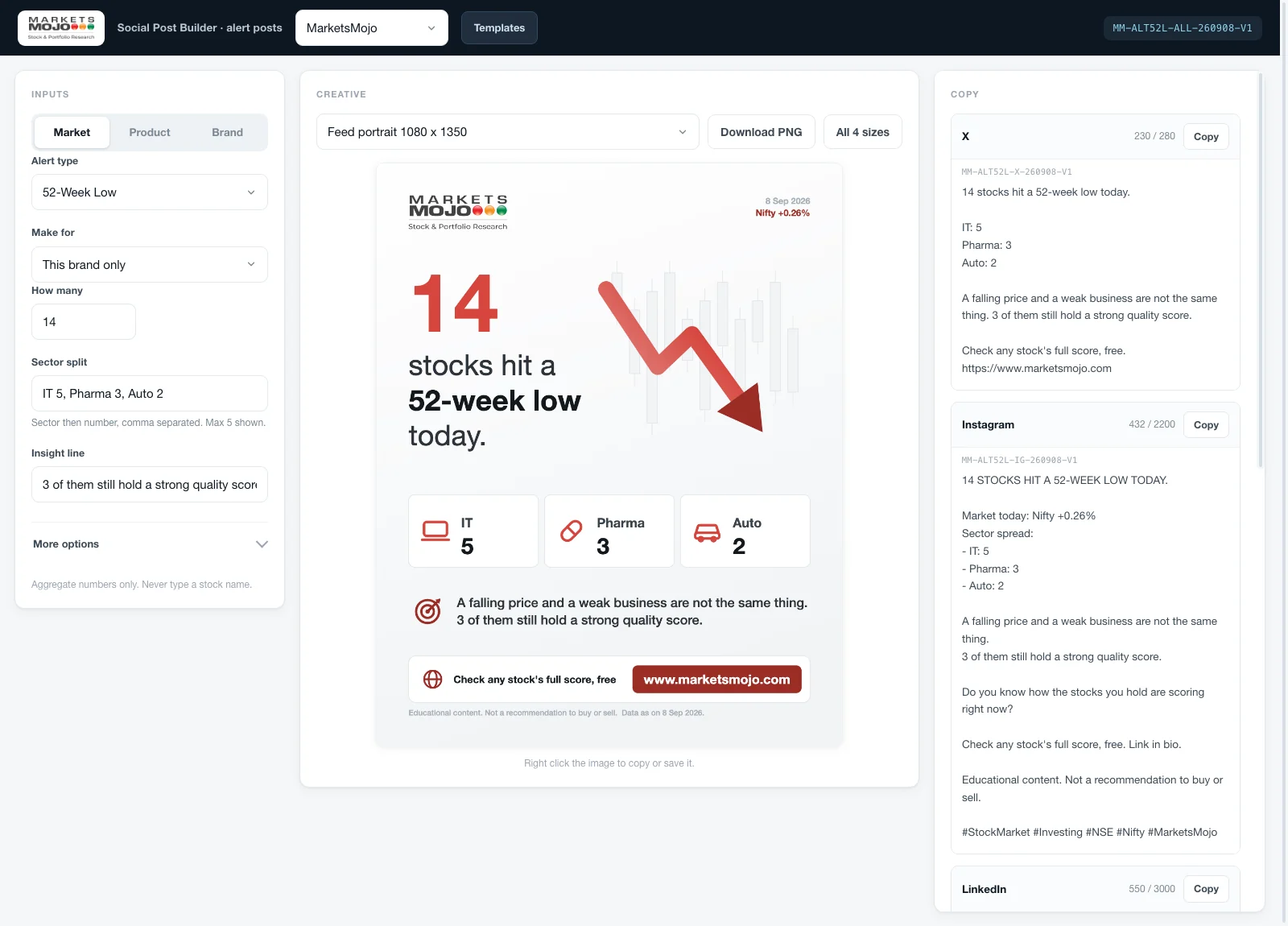
Three columns: what you type, what you get, what you paste.
1234- 1TypeA few details about today's numbers.
- 2SeeThe post redraws live.
- 3All sizesDownload every size in one go.
- 4CopyReady text for each platform, with a character count.
Sixteen versions. The first and the last.
A long form
Twelve fields, a Generate button, and the post squeezed into the edge of the screen.
Learned: The post is what gets judged, so it has to be the biggest thing on screen.
Start from the product
The tool now opens on one question: which product is this post for? Brand colours, fonts and the button are already applied.
One file. No install, no login.
Its posts were checked against the approved designs until they matched exactly.
Waiting for their first real run.
Stop the download until every rule passes. Then fetch the numbers automatically.
I won't claim a time saving until it's measured on live data.
What I'd carry into the next one.
Keep what's approved
Copy the approved design exactly. Template only what changes.
Check where people type
A rule in a document gets forgotten. A rule in the tool doesn't.
Look closer
A blurry logo turned out to be a size problem.