Reminder apps only remember what you must do.
They cannot tell you who asked, or whether you already did it. Reminder Bunny catches a whole obligation from one spoken sentence — in English, Hindi and Marathi, mixed.
Built in a day. Scoped in a week. The building was never the hard part — deciding what to refuse was.
Forgetting is three problems, not one.
Before designing anything I mapped what people actually forget. It falls into three buckets — and the tools we all use only serve the first.
DO
A pending action. Call the bank, send the report, take the tablet.
KNOW
The detail attached to the action — who it came from, what they expect back.
CONFIRM
The doubt after the fact. Standing at the door wondering about the gas.
The insight the whole product rests on: DO is the solved bucket. The suffering is in KNOW and CONFIRM, and that is where there is no help — so that is where a new app has a reason to exist.
Why the existing tools fail this user.
Not because they are badly made. Because they are built for someone who is already sitting down, in English, ready to type.
| Tool | Capture cost | Mixed-language voice | Stores who asked | Confirms it was done | Comes to you | Private by default |
|---|---|---|---|---|---|---|
| Paper diary | Medium | — | Yes | If you look | Never | Yes |
| Phone reminders | 4–6 taps | English-first | No | No | Yes | Cloud account |
| To-do apps | Form + project + tags | No | A field, if you fill it | A checkbox | If configured | Cloud account |
| Medicine apps | Setup wizard | No | No | Yes | Yes | Varies |
| Notes / WhatsApp to self | Fast | Yes | Buried in text | No | Never | Cloud |
| Reminder Bunny | One sentence | EN · हिंदी · मराठी | A field | Done log | Alarm | On-device only |
The gap is not features — it is the moment of capture. A task arrives while you are already busy with something else. Anything that costs more than a sentence will not be used at the only moment it matters.
Ten cases, judged by one test.
Can the app genuinely catch it at the right moment, and push it back at the right moment? If the catching moment is one where nobody would ever reach for a phone, no amount of design fixes it — better to drop it honestly.
- Someone gave me a taskHappens mid-conversation. Voice catches it in seconds.
- I asked someone, must follow upThe same, with a check-back date.
- Medicine and daily routineFixed, known time. Ideal for an alarm.
- Did I already do it?If the app fires it, the app can record the Done tap.
- Bills, EMI, renewalsDates known weeks ahead. Nothing is a surprise.
- A passing ideaSame microphone. Nearly free once capture exists.
- Locked the door? Gas off?Same Done log as medicine.
- BirthdaysEasy — but everything else already does it.
- Forgetting a person’s nameYou will not pull out a phone mid-handshake. The catching moment does not exist.
- Where I put somethingWhen you put the spare keys away, you are not thinking about an app.
Dropping two cases with a stated reason was more useful than shipping ten badly. A feature you will never trigger is not a feature.
Five cases. One thing underneath.
The discovery that made the product buildable: every case is the same shape — a thing, a time, a person, and a done mark. So it is not five features. It is one, built properly.
The “who” field is the differentiator. The original problem was never “I forget the task” — it was “I forget that somebody gave me the task”. No mainstream reminder app has a place to put that person.
Nine features. Each one answers a specific failure.
Nothing here was added because it would be nice to have. Every one exists because something broke — in the old tools, or in this app during real use.
Capture in one sentence
Mixed-language understanding
Time the way people say it
The person, kept with the task
It says when it guessed
It keeps ringing until you answer
Nothing you save can vanish
It never fails silently
No account, nothing uploaded
Four things on screen, and a rule about honesty.
A hard limit was set before any drawing: one to three steps for any action. It killed forms, wizards and category pickers in advance.
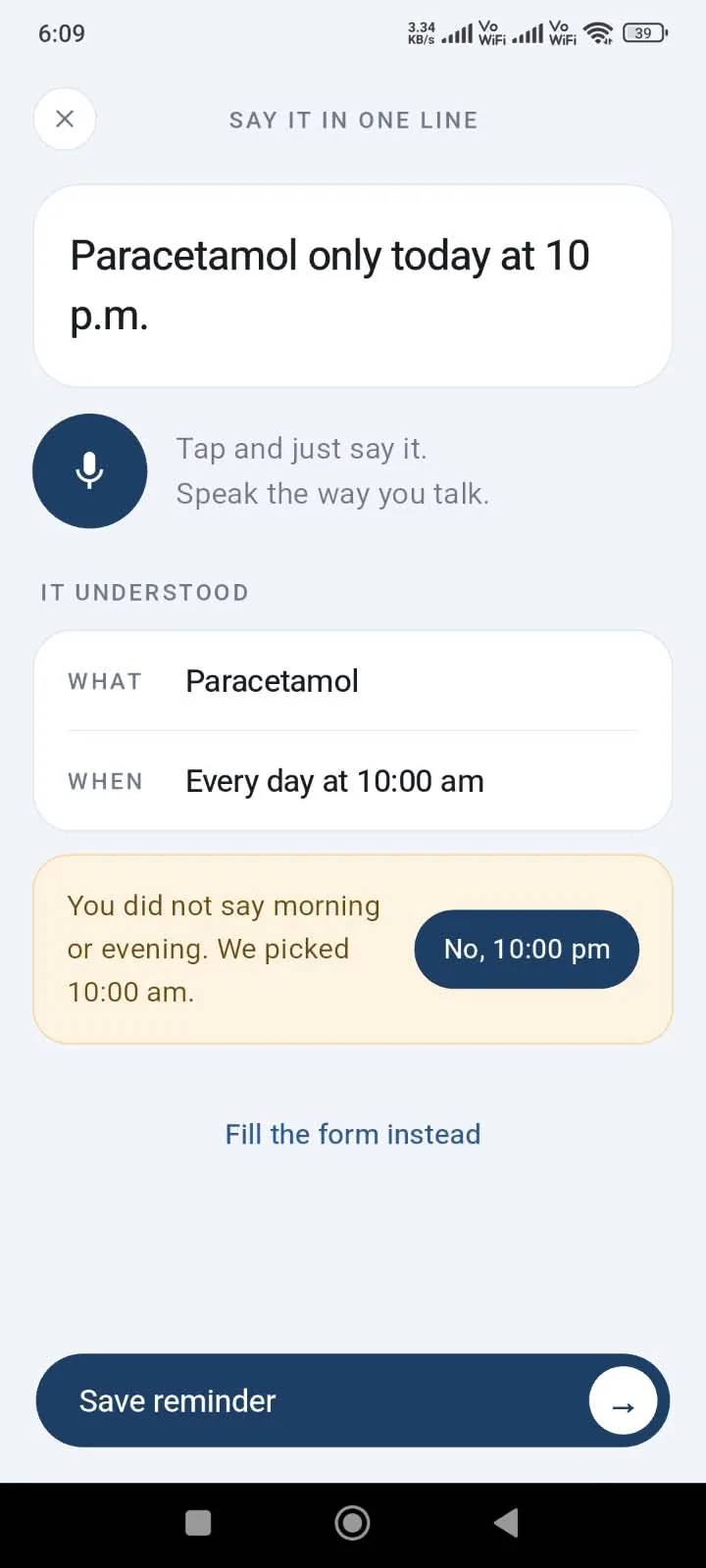
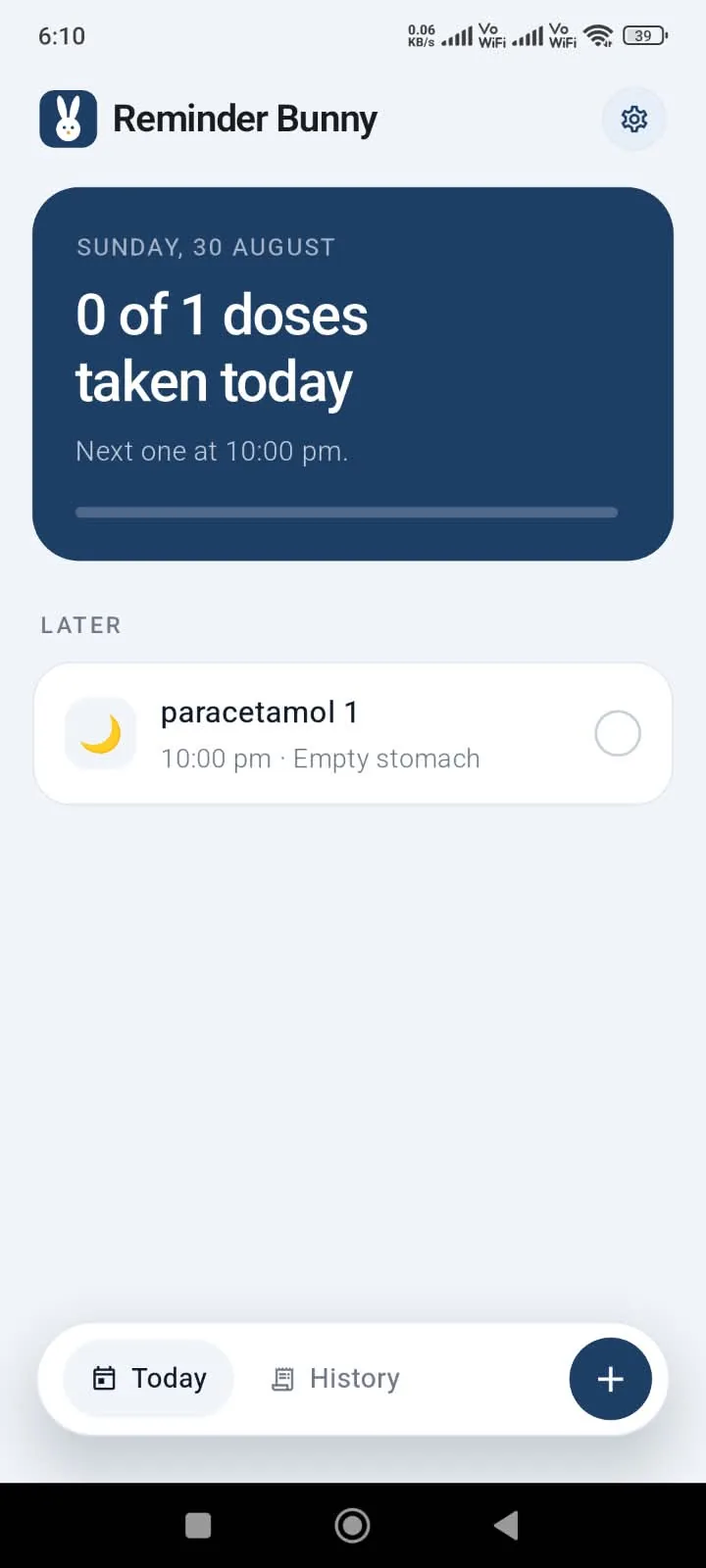
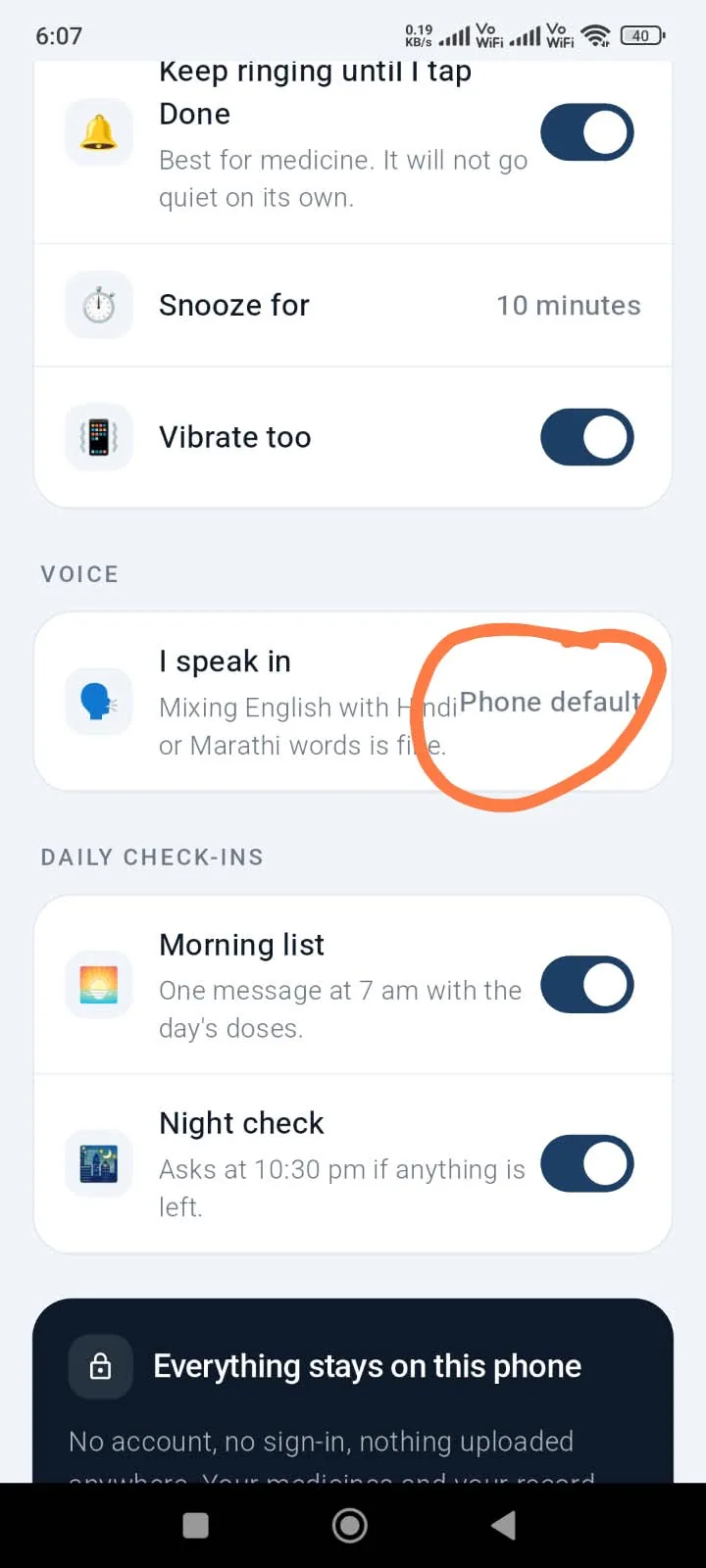
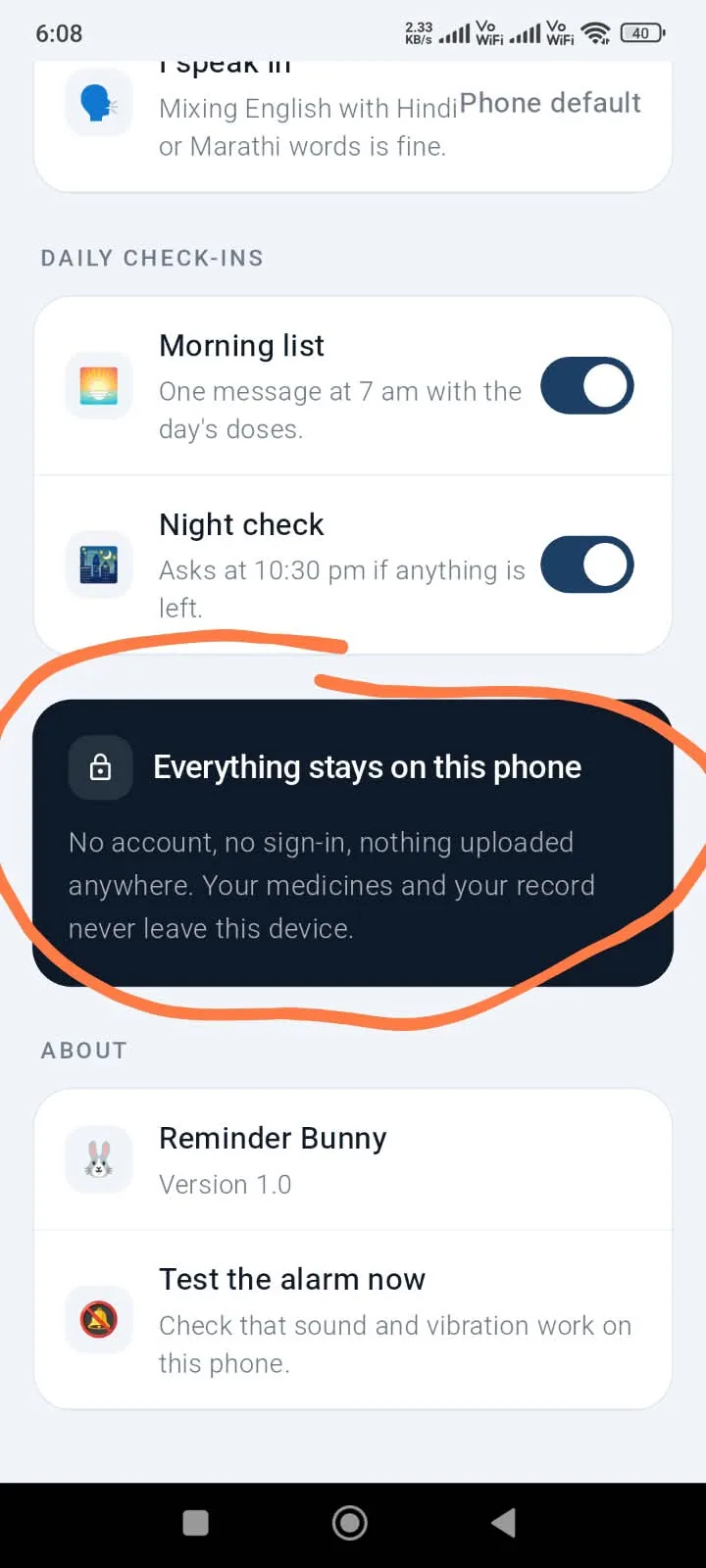
The rule that mattered most
- The app may be wrong. It may never be quietly wrong.
- If no time was said, it fills one in — and says so, with a Change button.
- If the phone is blocking alarms, the home screen says it, with a button to the right settings page.
- If a language pack is missing, it names the problem instead of mangling the sentence.
Why that rule exists
- This app is for someone who already forgets. An app that silently forgets is worse than no app at all.
- A confident wrong answer costs more trust than an honest “I did not understand”.
- Guessing is fine. Guessing invisibly is not.
Three directions, decided by comparison.
Built as scrollable phones rather than flat images, so the choice was made by using them.
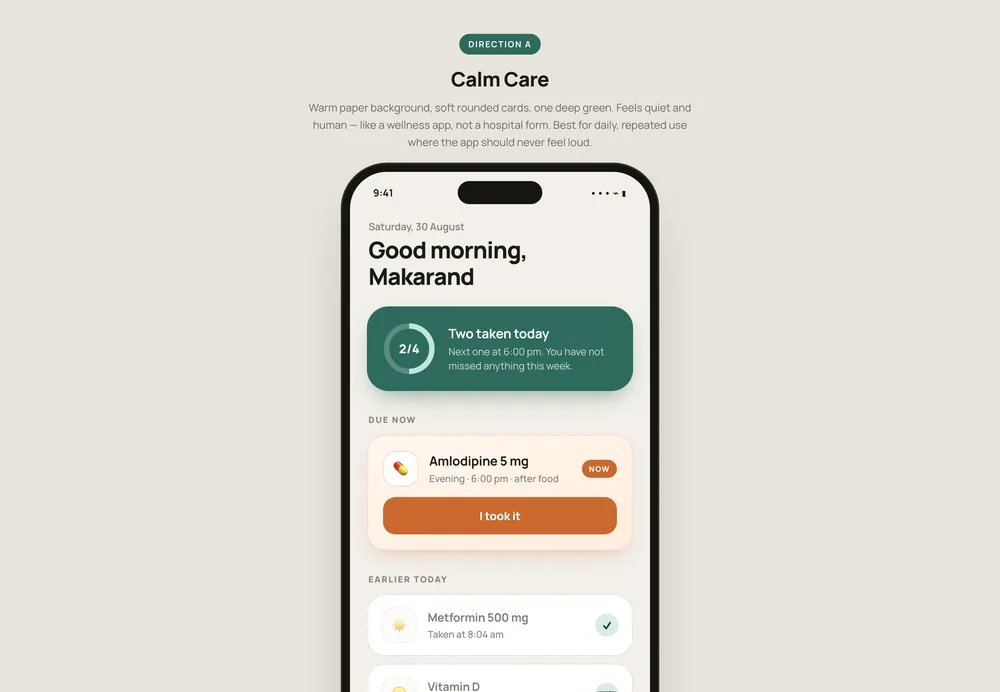
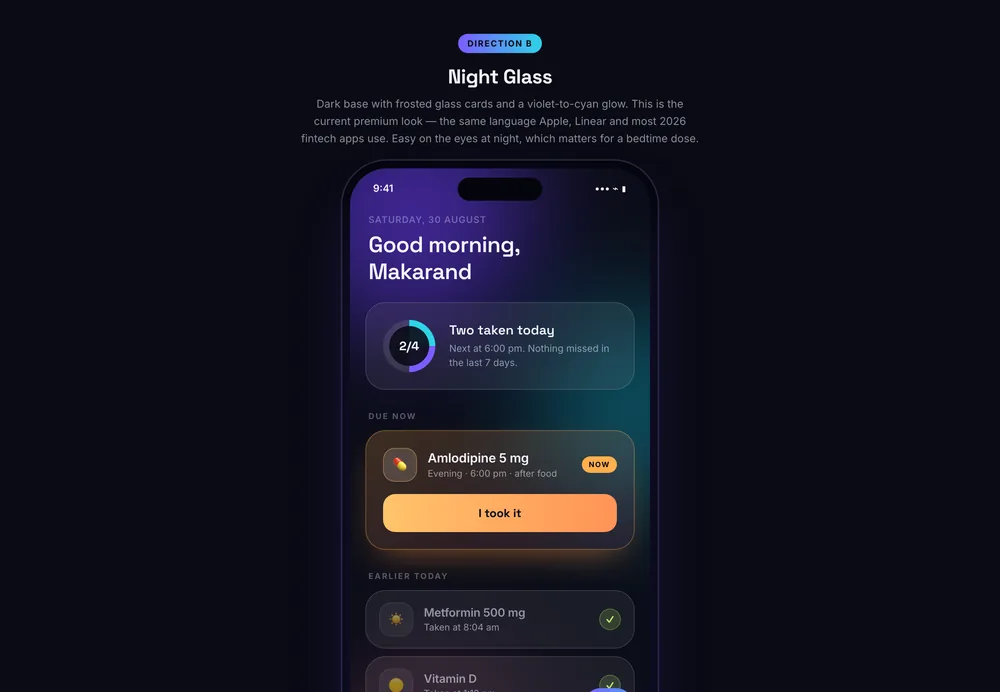
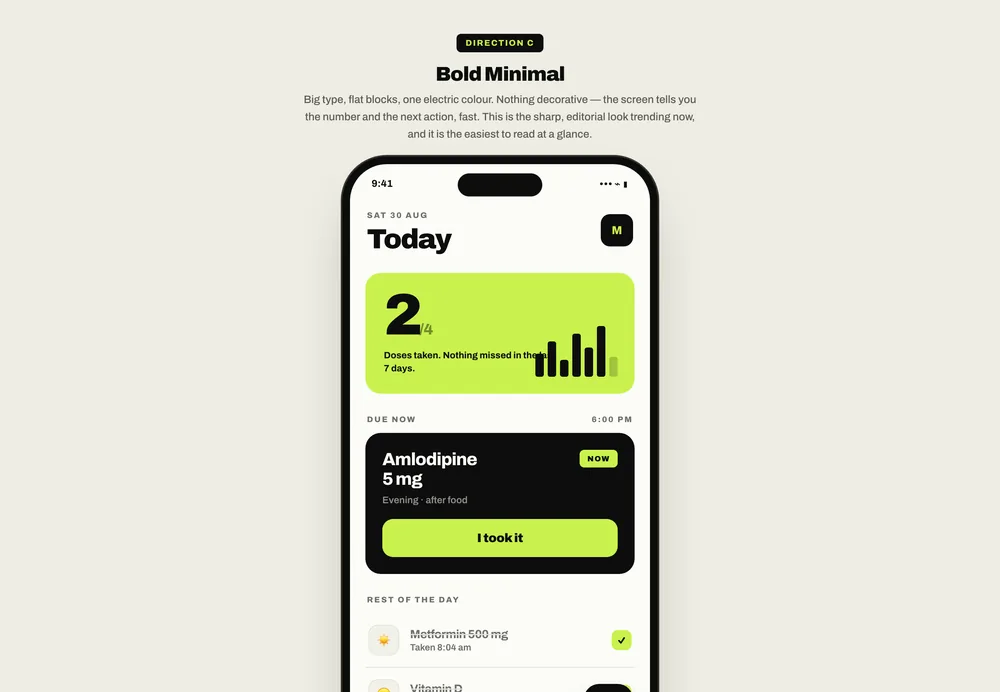
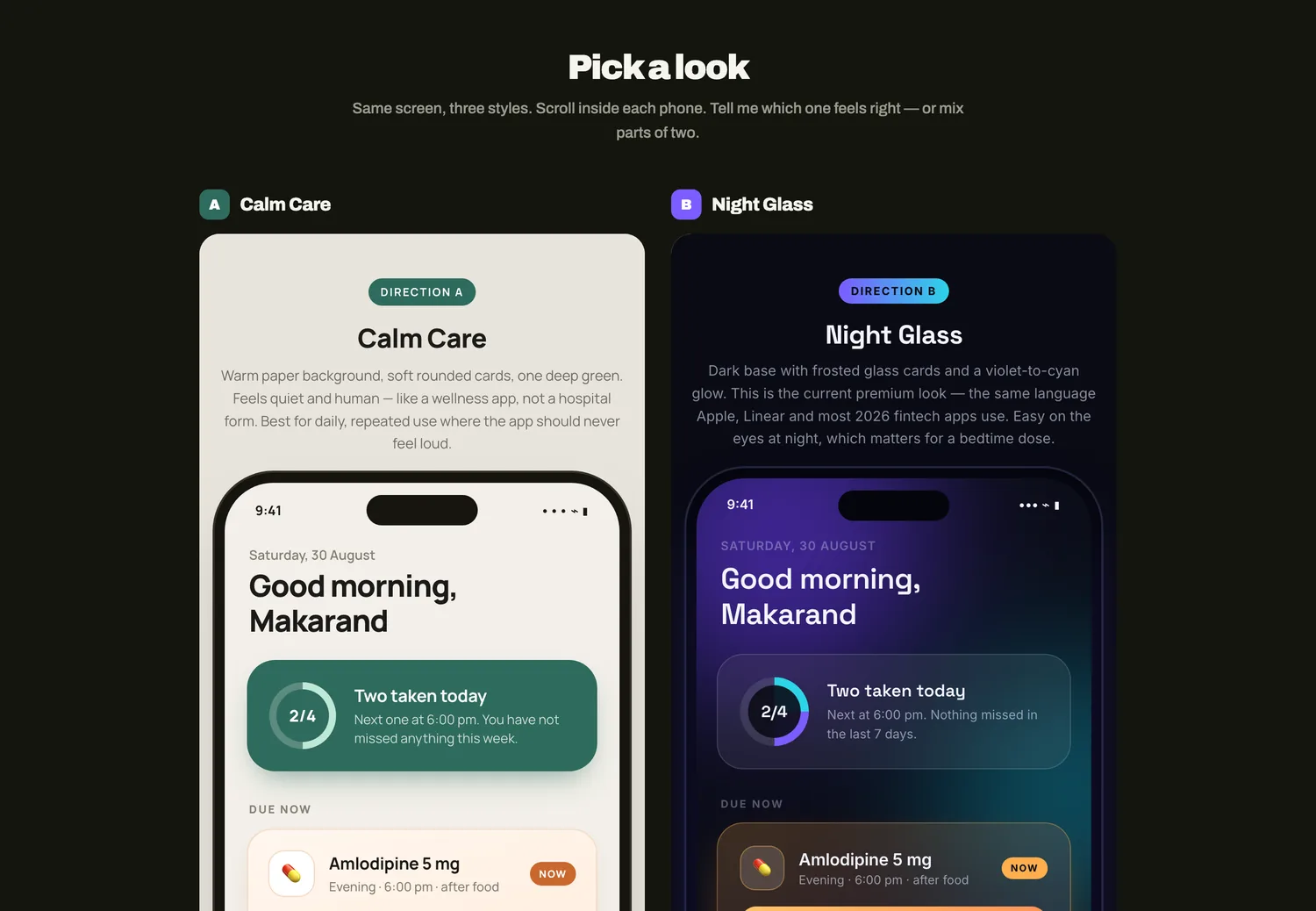
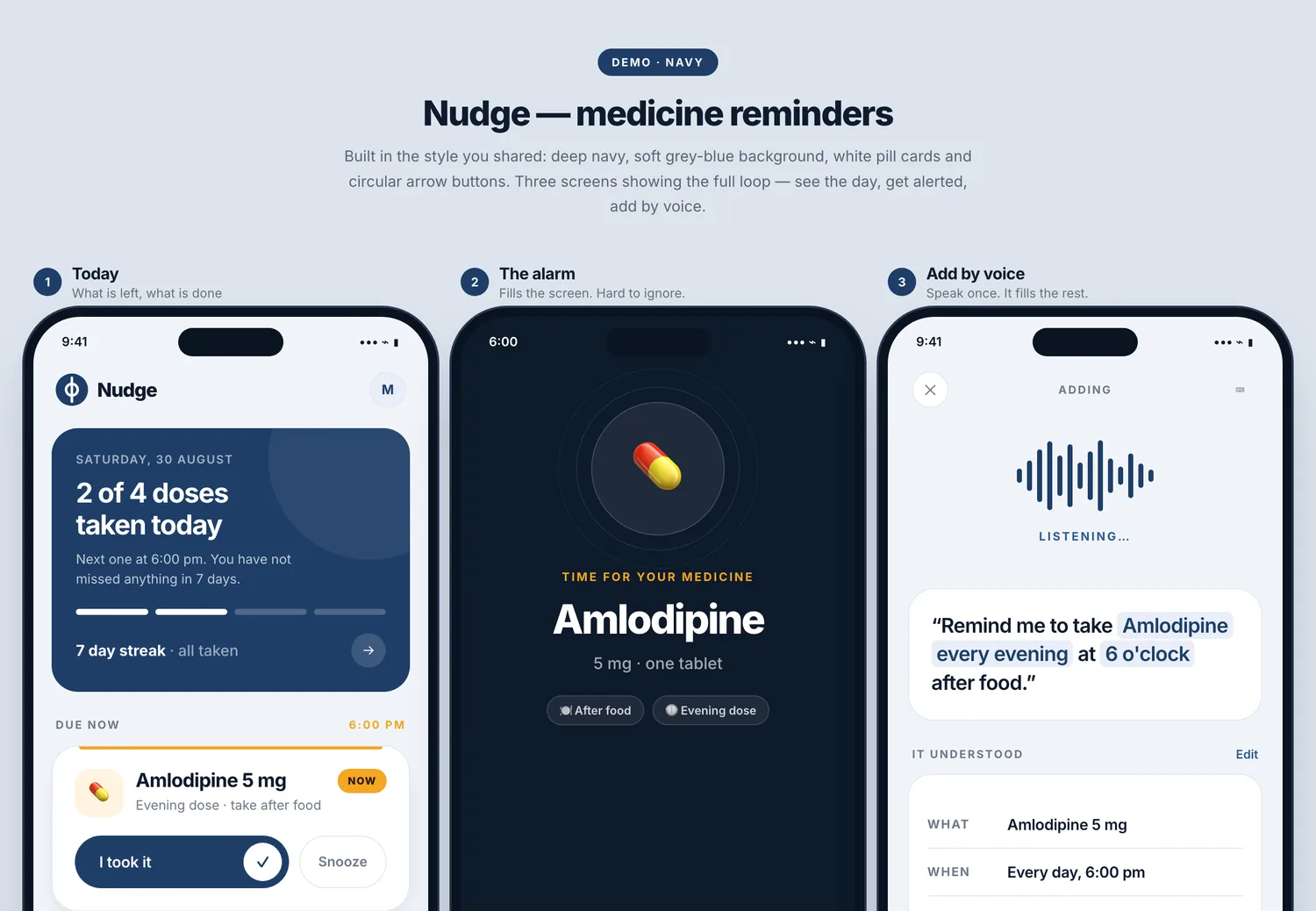
The rejected option is the useful part: a warm orange call-to-action tested as cheerful, and this is an app that fires at 10 pm beside a bed. Tone is a functional decision, not a taste one.
Thirteen rounds of using it changed the product.
Everything below came from one person living with the app on his own phone, in his own languages — not from a test suite, and not from a review. Each one is a real defect or a real gap, and what it forced.
A scheduled notification. Android treats that as ordinary background work, so it delayed it, silenced it, or dropped it once the app closed. A notification arrived; no alarm ever sounded.
A real alarm clock registration plus a foreground service at alarm volume — exempt from Doze and battery saving, and it keeps ringing until answered. The phone now lists the app under its own next-alarm register.
The notification channel had been created deliberately silent so it would not clash with the service. Android will not let a channel be changed once created — so every phone that ran the early build was permanently stuck with a silent alarm, whatever we fixed afterwards.
A new channel that carries the alarm sound itself, the old one deleted. Settings now also reports how many alarms the phone is really holding, and when the next one is.
A misheard word meant redoing the whole thing. The result box was technically editable, but nothing said so — no cursor, no label, no affordance. “Looks editable” and “is editable” are not the same feature.
Every line of the understood card is now a control — tap the time, the date, the person, the repeat. Two taps instead of a retyped sentence. The sentence box is still editable, but it is no longer the only way to fix a mistake.
The manual form had grown to nine sections: kind, title, who, detail, day, time, note, how often, how many days.
Three: what you need to remember, when (one date button, one time button), and a repeat switch. Everything else moved behind More.
One switch: repeat daily, or not. A monthly EMI had to be saved as a one-off and then forgotten the next month — exactly the failure this app exists to prevent.
Nine choices, from every 30 minutes to yearly. Monthly steps by one calendar month, so an EMI due on the 5th lands on the 5th rather than drifting. The sentence reader learned them too, in all three languages.
Today showed only today, and Coming up deliberately excluded repeats. So a repeating reminder could not be seen unless it happened to be due right now — and therefore could not be found in order to stop it.
A month calendar with a dot on every day that has something, amber when overdue. Repeating and one-off separated in the list, each repeat with its own Stop. And Stop repeating on the alarm screen itself.
A microphone on the lock screen was the logical end of the idea — but Android has not allowed third-party lock-screen widgets since 2014, and will not let an app draw over a locked phone. The closest possible was a permanent notification: one tap plus a fingerprint, not zero.
Built, tried, and taken out the same day. It also had to un-post itself — a permanent notification already on the phone does not disappear when its code is deleted, so the app now cancels it and its channel on startup.
The pattern across all thirteen: the machine was never the thing that noticed. Every one of these was found by a person using the app for real — and several had been passing their tests the whole time.
Five ways the human changed the outcome.
The app was built with AI in a day. These are the specific moments where a person changed what got built — not opinions, but interventions with consequences.
Problem, user, constraints, and what is out of scope
Framework, architecture, and the whole build — fast
Confident output, including when it is off-course
Give it the why and it will build a sound how, quickly. The framework was genuinely good — it just could not have been derived without the context, because none of it exists in any codebase.
The most costly pattern. Nothing failed — every screen worked as specified. The drift only exists relative to an intention, and the intention lives in the human's head.
Saying “I don't like it” produces another guess. Handing over a reference converts taste into a specification the machine can actually apply — and then it stays applied across every later screen.
Every serious defect came from a person living with the app, not from the tests. The alarm bug is the sharpest: the app had been silently failing to schedule anything and reporting success.
The unlock nobody talks about. The machine had no memory of a product built months earlier — but the human did. Knowing that a solved version already exists, and where, is context no model can retrieve on its own. Minutes of work, after hours of circling.
What the machine did, fast
- A working Flutter app for both platforms, from a description
- Three complete UI directions to compare, in minutes
- A sentence reader for mixed English, Hindi and Marathi
- Local database, alarm scheduling, migrations, tests
- Every fix — once the problem had been named
What it never produced
- The map. Splitting forgetting into DO, KNOW and CONFIRM — and seeing that the market only serves the first.
- The refusal. Medicine was meant to be the first case; it quietly became the whole app. No test failed. Someone had to notice the product was becoming the wrong one.
- The cuts. Two cases dropped on the grounds that the catching moment does not exist in real life.
- Taste with a reason. Orange rejected because the app rings at bedtime, not because of preference.
- Real use. Every serious bug surfaced from using it on a real phone, in Marathi — not from the test suite.
At each of those moments the AI was fluent, confident and wrong — and never once flagged it. That is the argument for the human, stated plainly: not that the machine is weak, but that its confidence carries no information.